Seat Booking for Gravity Forms
Let visitors pick their own seats. Draw any seat map in a visual editor, run flexible events with dates and time slots, and sell seats straight from your forms.
- Visual seat map editor
- Flexible events and schedules
- Real-time seat holds
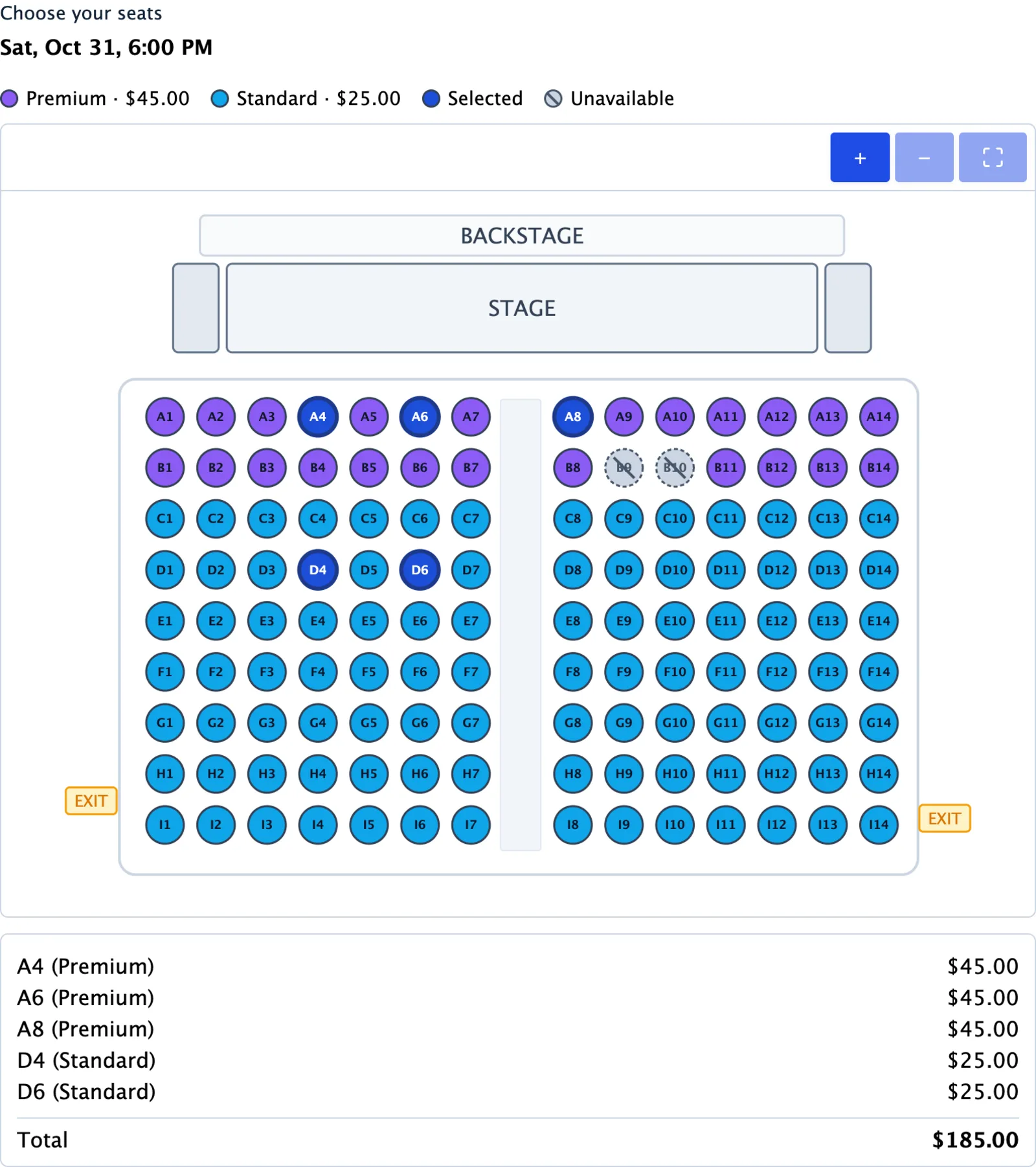
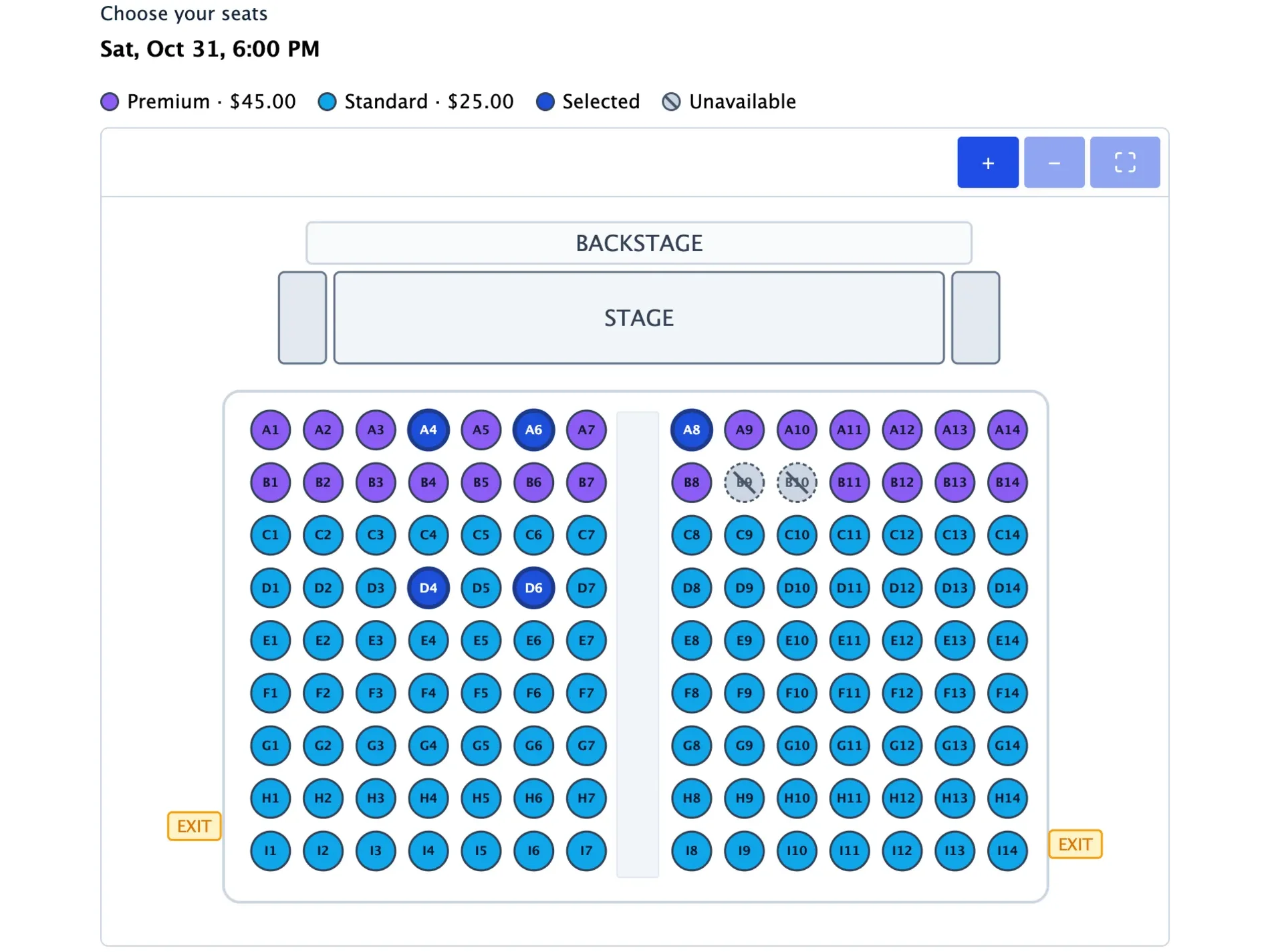
Visitors pick their seats right in your form
Live availability, with every pick held.
The moment a visitor picks a seat it is held for them. Other visitors see it as taken within seconds, and unpaid holds release themselves.
- Seats update live for everyone on the page
- Countdown timer with a configurable hold and payment window
- Expired holds are cleaned up automatically
- Booking cutoff before the event starts
- Seat prices add to the Gravity Forms total
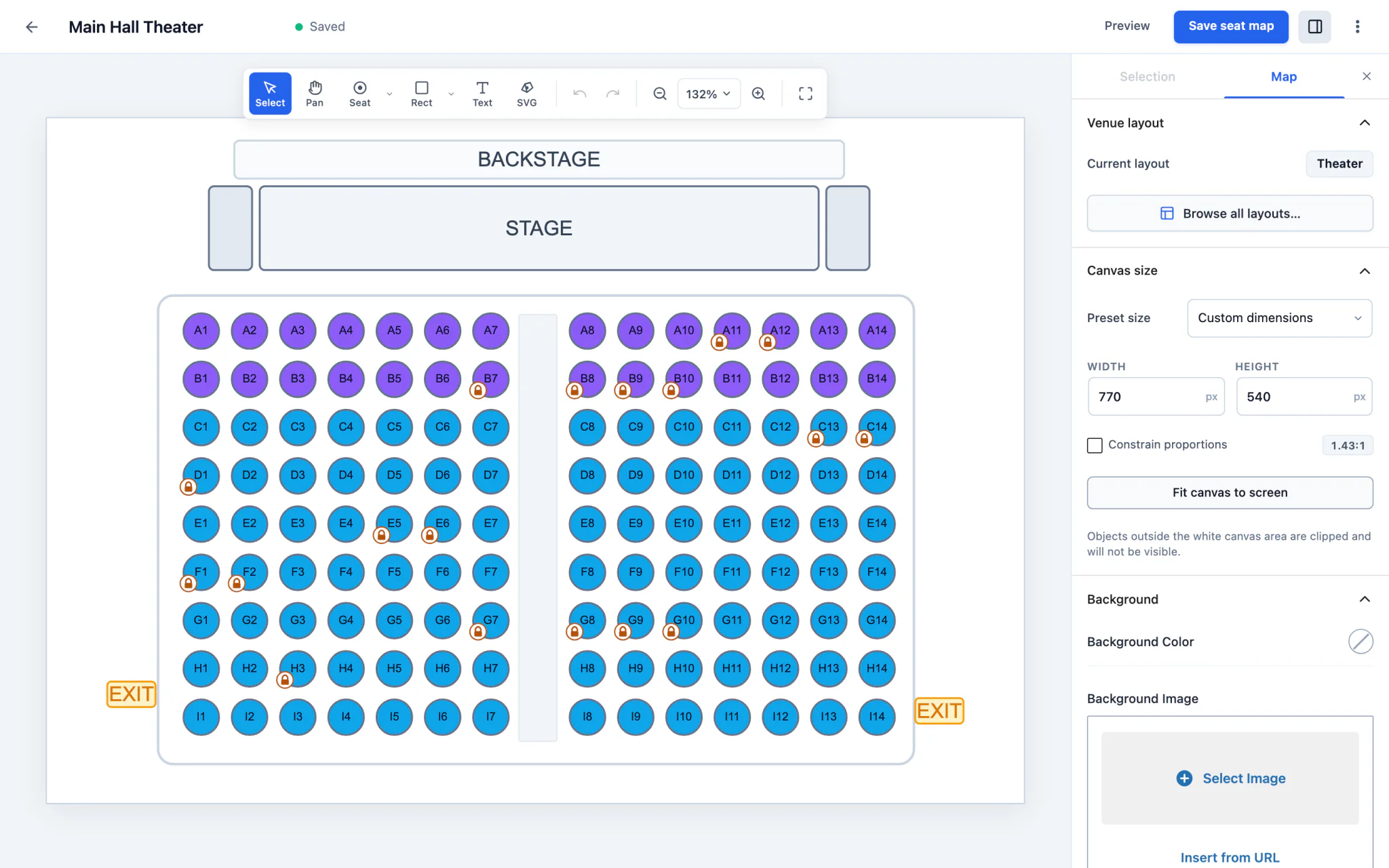
A visual seat map editor
Draw any seat map you can imagine.
Place seats, draw rectangles and ovals, add text and SVG shapes, then zoom and pan like a design tool. Start from a starter layout or a blank canvas.
- Rectangles, ovals, lines, text and SVG shapes
- Zoom, pan, group, duplicate and undo
- Pinch to zoom and two-finger pan on a trackpad
- Background image, resizable canvas, import and export
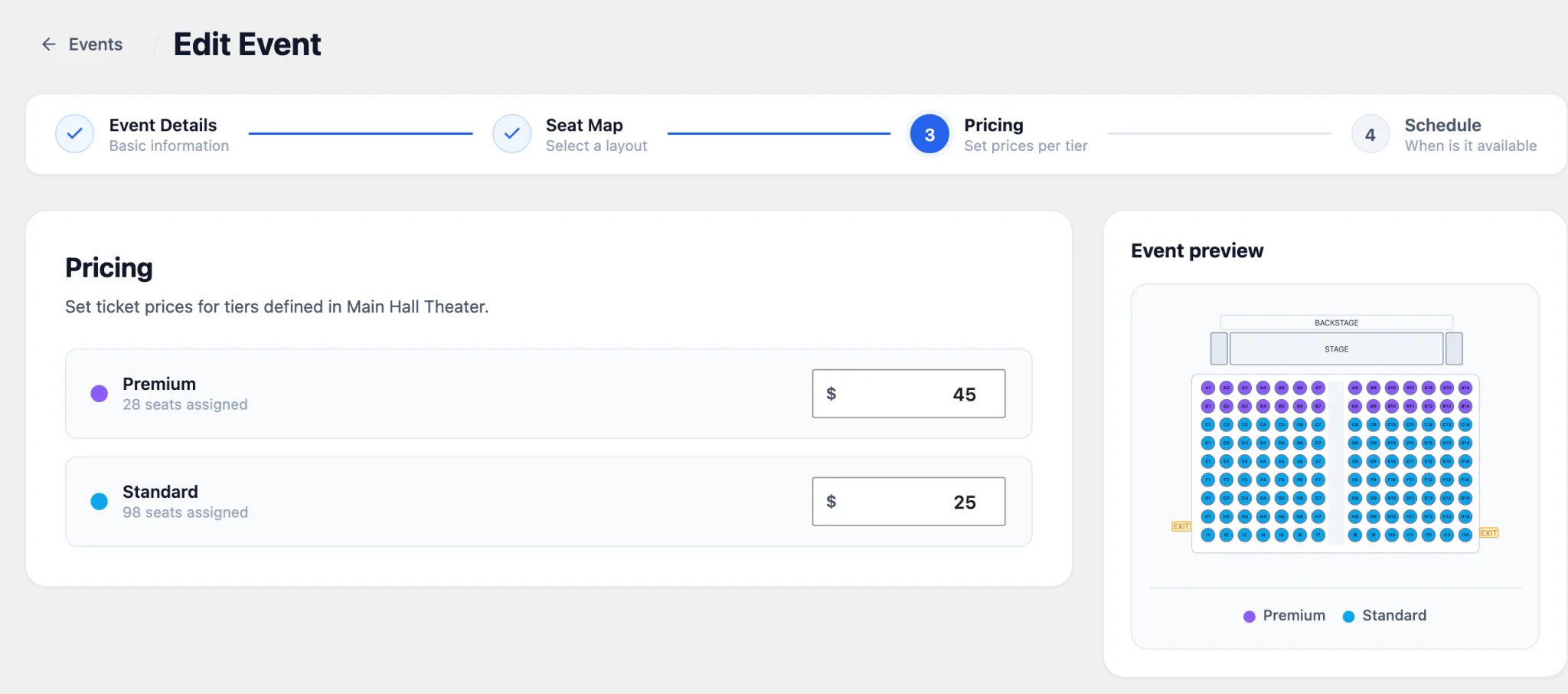
- Pricing tiers with their own colors
Keyboard shortcuts like a design tool:RrectangleSseatBseat blockVselect
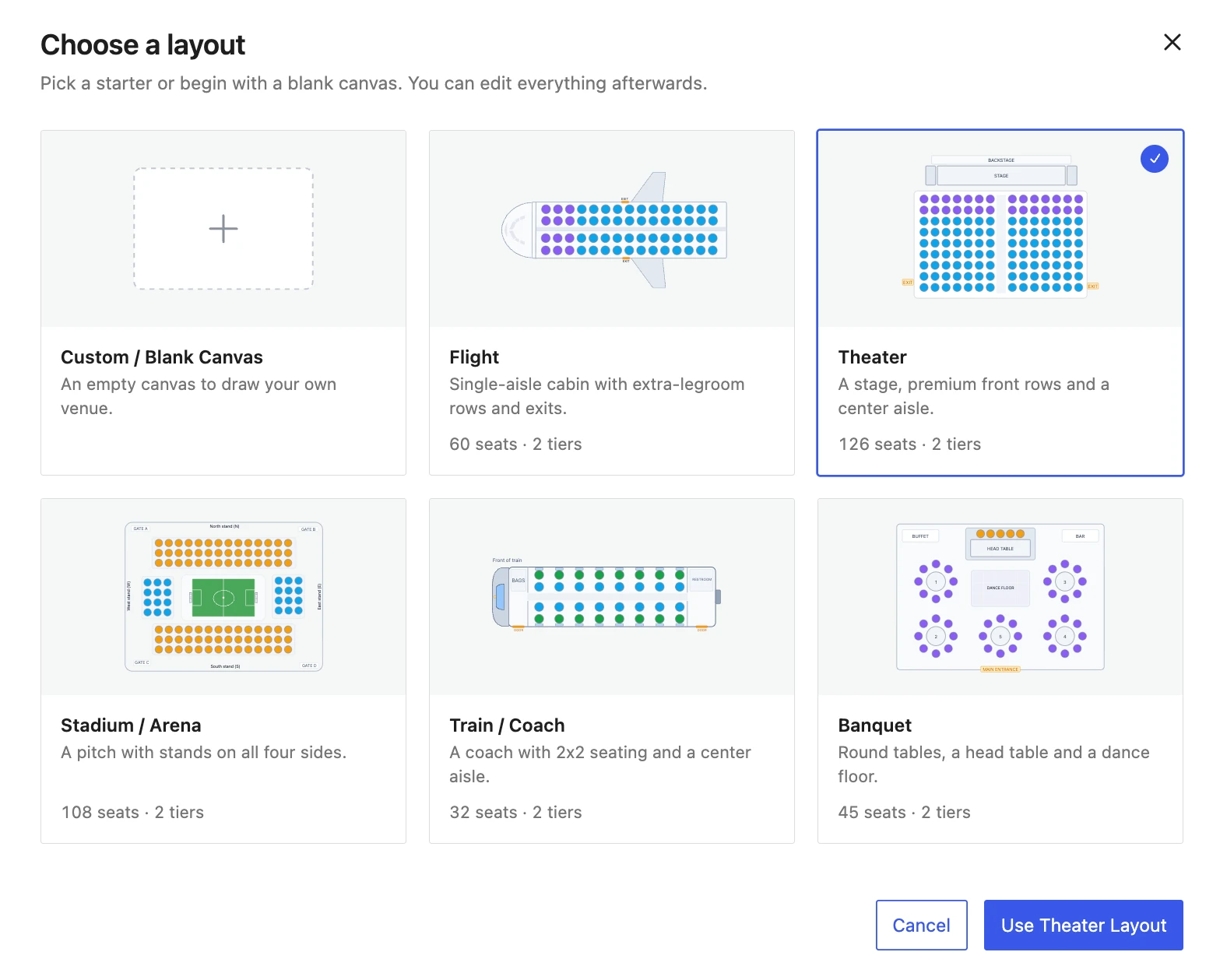
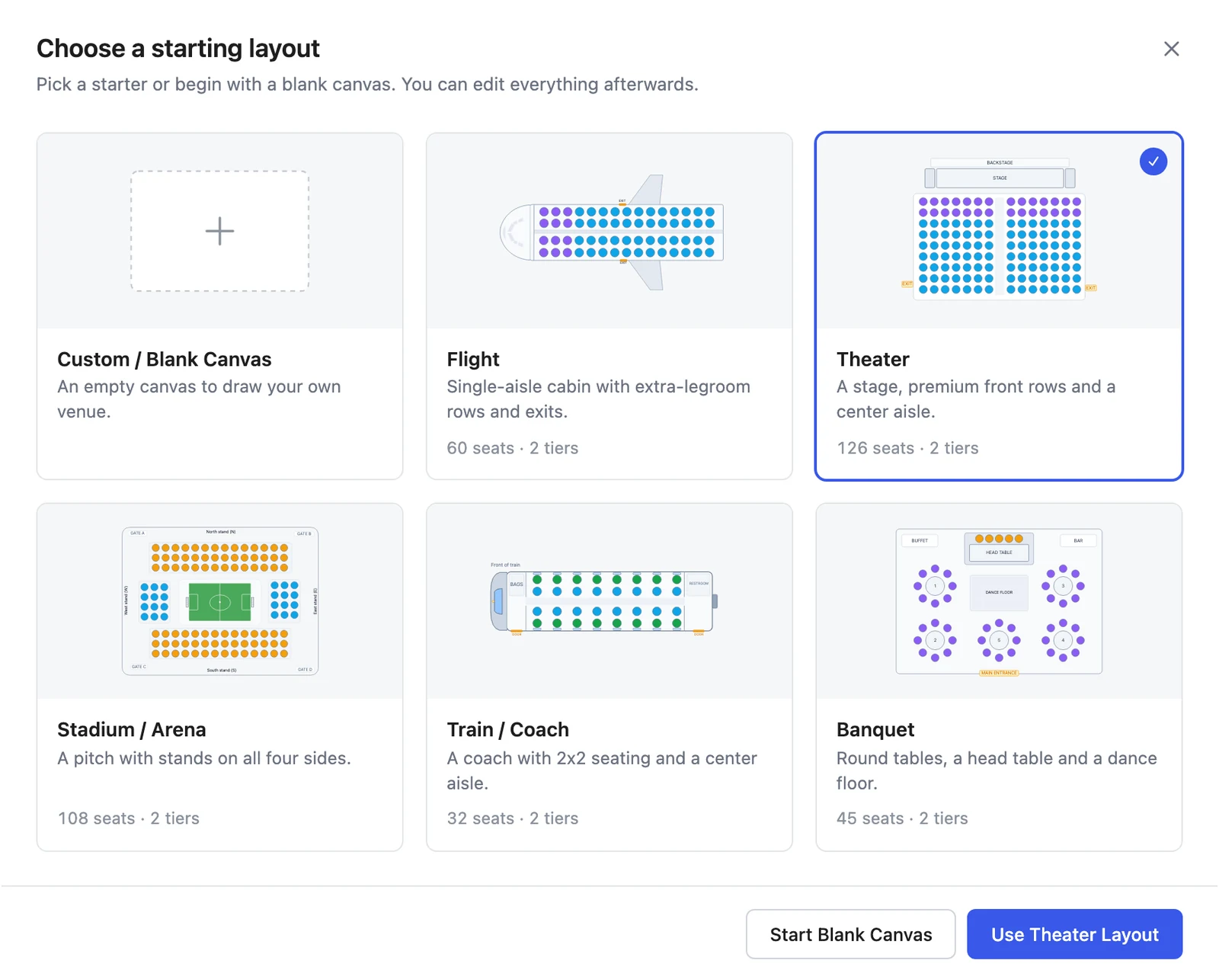
Start from a ready-made venue layout
Pick a starter template and you have a working seat map in seconds. Every seat is already numbered and priced by tier, so you only adjust what is different about your venue.
- Theater, flight, stadium, train and banquet starters
- Blank canvas when you want to draw it all yourself
- Every element stays editable after you pick a starter
- Switch layout at any time from the map settings
Events that fit how you actually sell seats
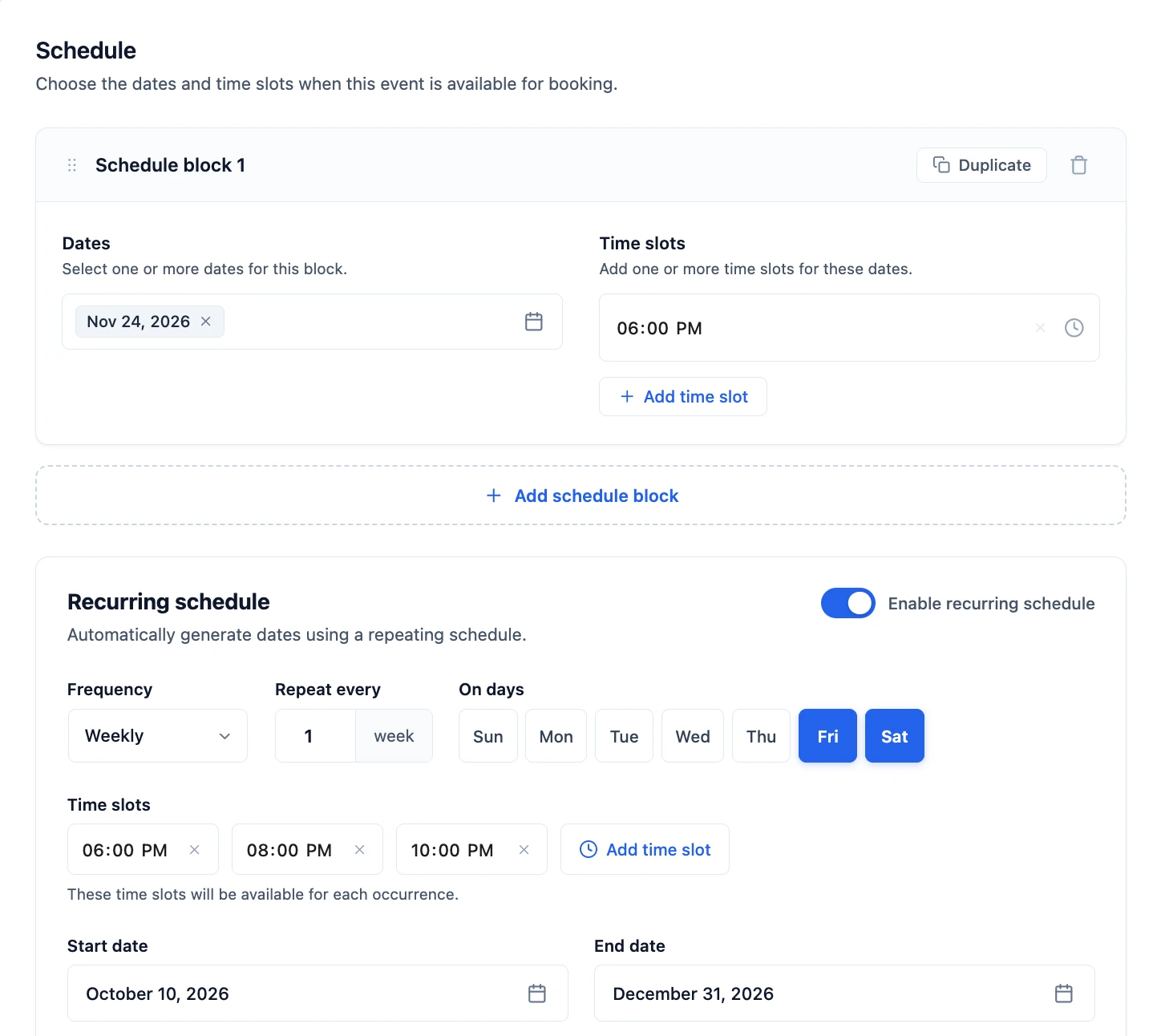
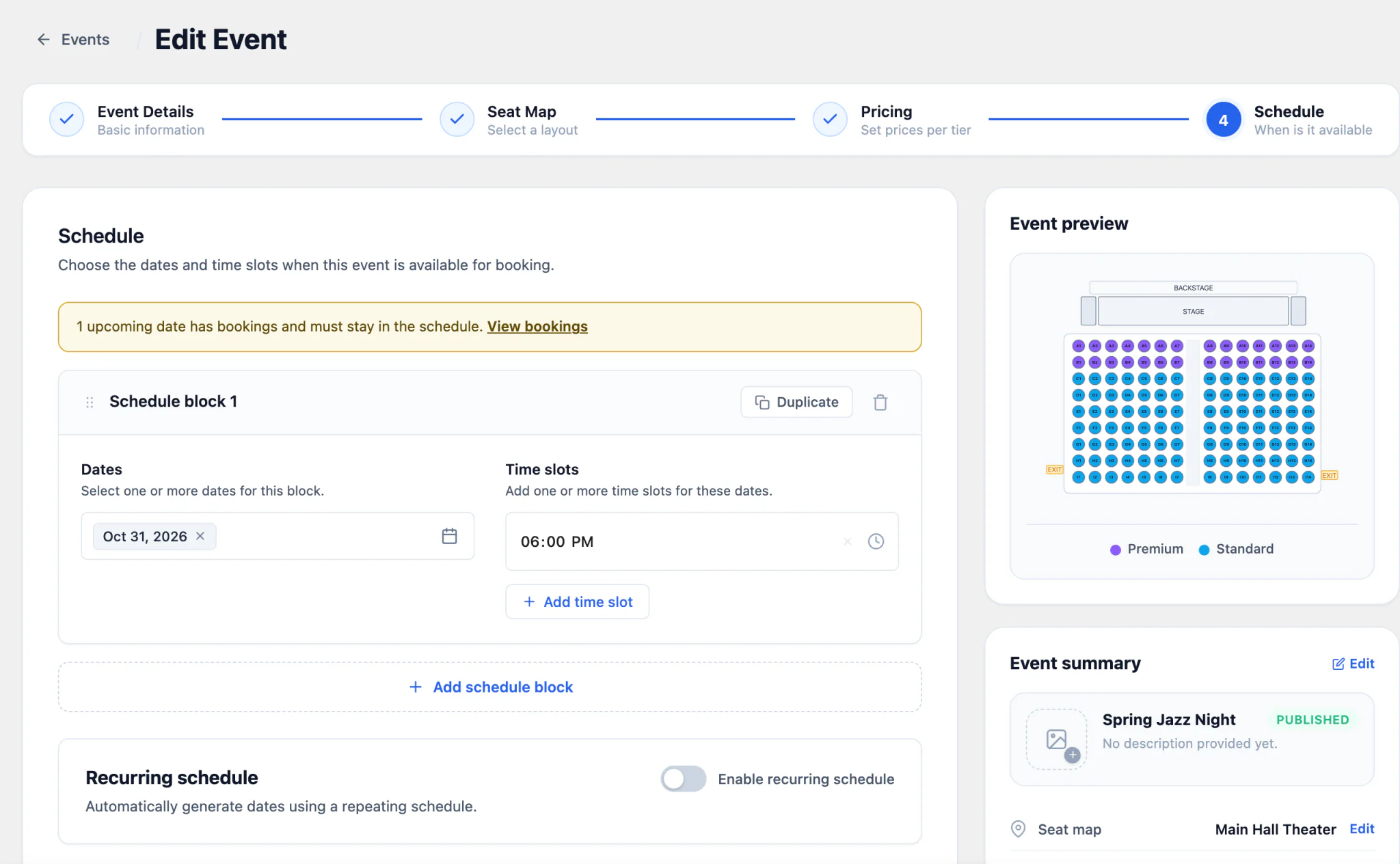
One seat map, any number of events. Run a single show, a weekly class, a monthly tour or a daily shuttle, each with its own dates, time slots and prices.
- Specific dates, or recurring daily, weekly, monthly and yearly
- Several time slots per day
- Exclude dates and add one-off extra dates
- Set a price for every tier, per event
- Live preview of every occurrence before you publish
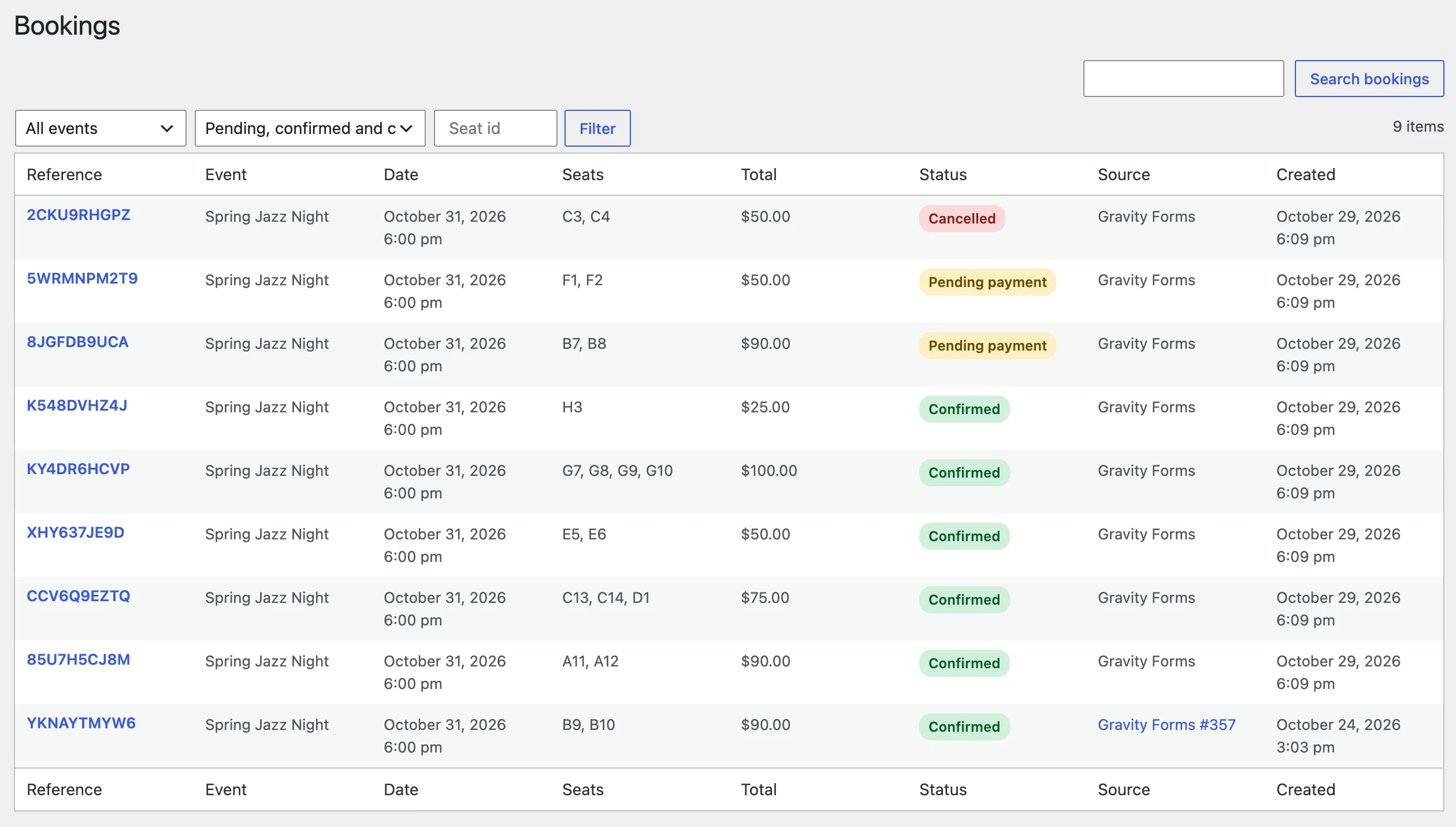
No double bookings
Seats are held until the payment goes through.
Picked seats are held for the visitor while they pay. If the payment fails, is refunded or never arrives, the seats go back on sale automatically.
- Availability and prices re-checked on the server at submit
- Set the hold time, payment window and booking cutoff
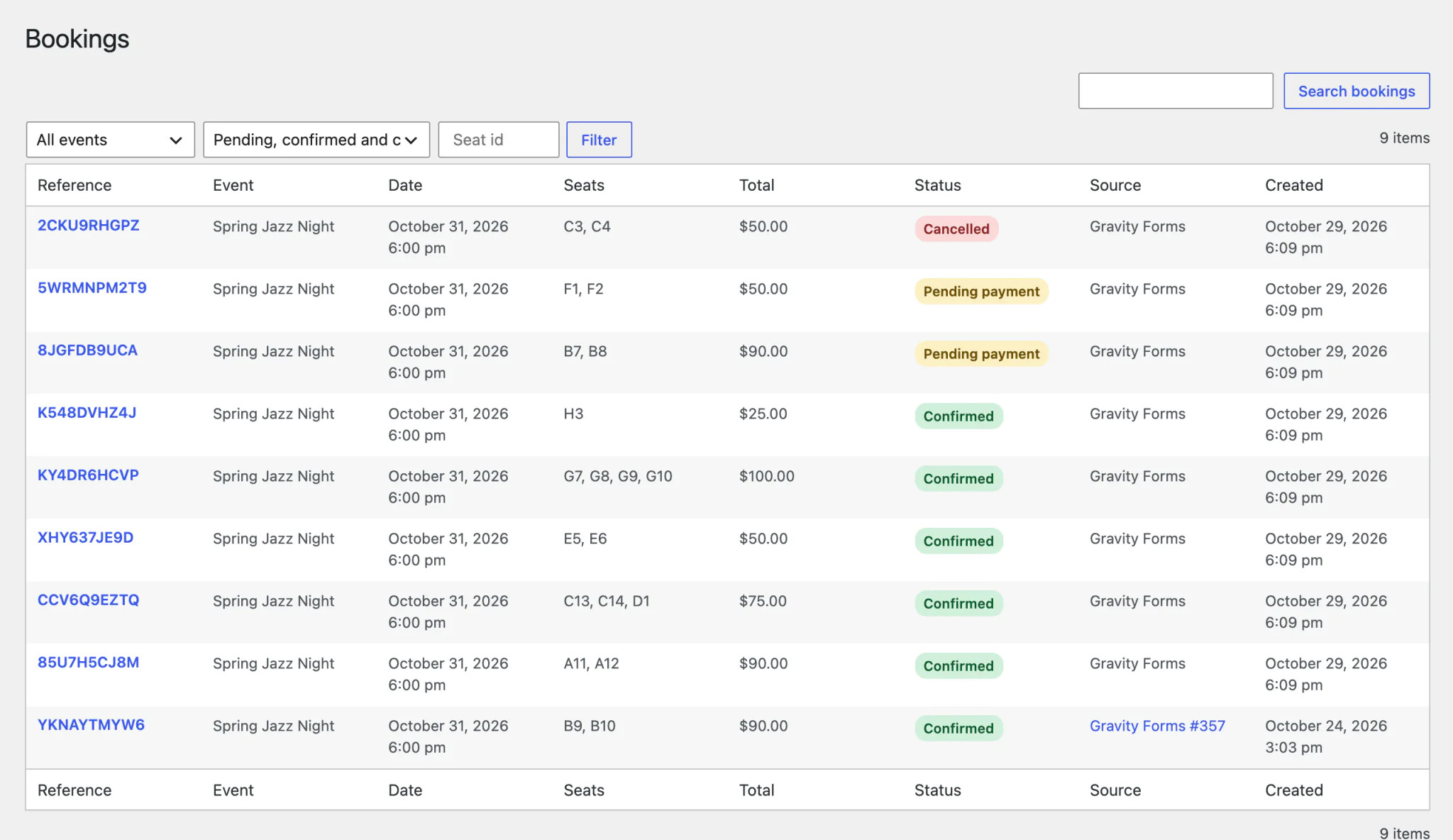
- Filter bookings by event, date, status or seat
- Cancel a booking and its seats are released
Seat booking for any venue, vehicle or event
If people need to pick a specific seat or table, you can build it with Gravity Forms and Seat Booking.
Theaters & Auditoriums
Stalls, balcony and boxes with premium and standard tiers, sold show by show.
Flights & Charter Seats
Cabin layouts with extra-legroom rows and exits. Let passengers choose their seat.
Trains, Coaches & Shuttles
Carriage layouts for daily or weekly departures with recurring schedules.
Stadiums & Arenas
Stands, blocks and rows with different prices for every section.
Banquets, Galas & Weddings
Round tables with a seat per guest. Perfect for fundraisers and dinners.
Classes, Workshops & Cinemas
Studios, classrooms and screens with recurring sessions and several time slots.
Start selling seats in four steps
-
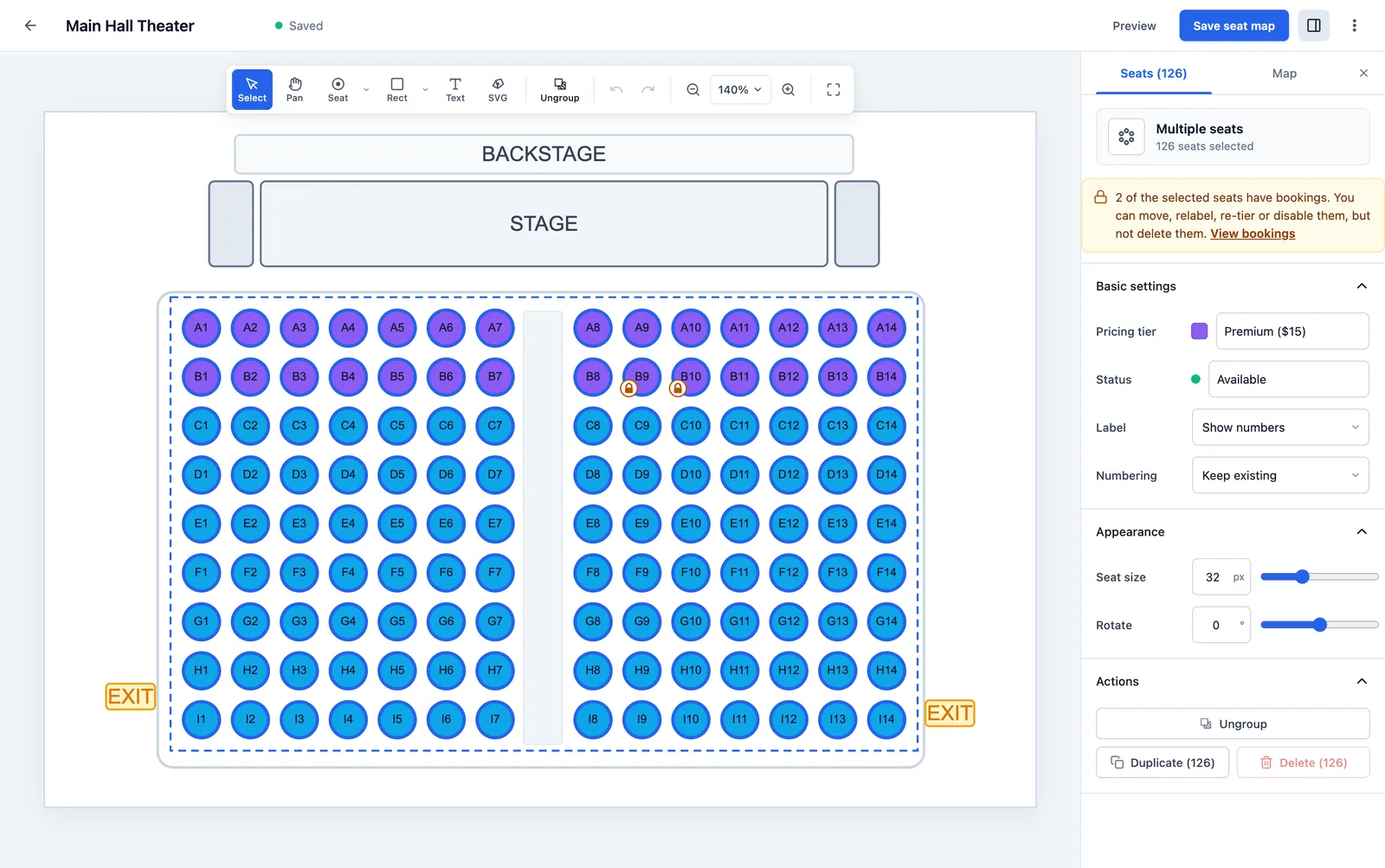
Step 1
Design a seat map
Pick a starter layout or draw your own in the editor, then assign pricing tiers.
-
$45 · VIPFri · 8:00 PM
Step 2
Create an event
Choose the map, set a price for each tier and add dates and time slots.
-
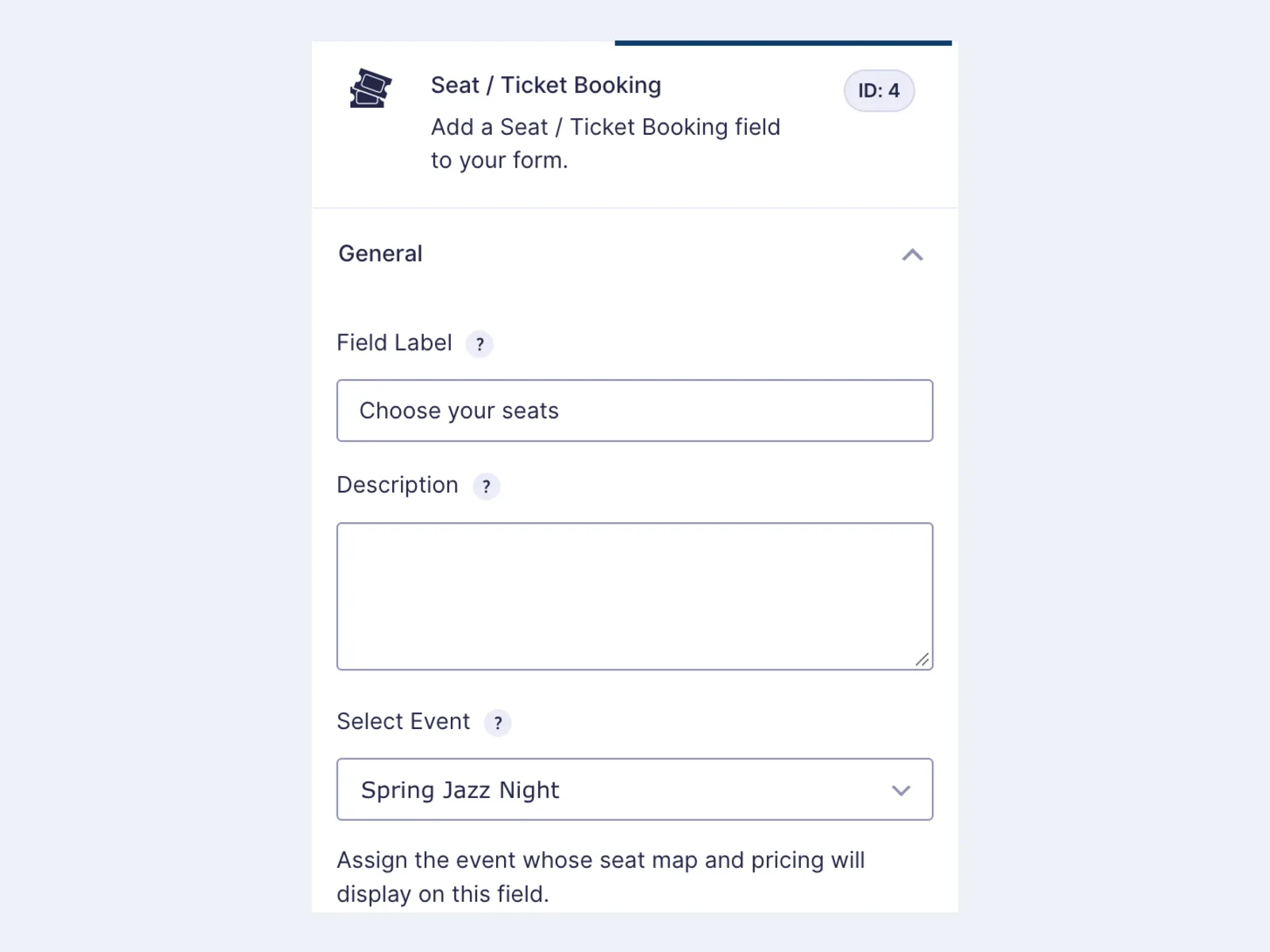
Step 3
Add the Seats field
Drop the Seats field into any Gravity Forms form and pick the event.
-
 ✓ Booking confirmed · Seat A-12
Step 4
Take bookings
Visitors choose seats, pay with your Gravity Forms payment add-on and get a confirmation.
Features
Everything you need to sell seats with Gravity Forms
A visual seat picker, flexible events and safe checkout, built right into your forms.
Interactive Seat Picker
A fast, accessible seat map inside your form. Zoom, pan, tap or use the keyboard.
Tiered Seat Pricing
Give every tier its own color and price. Seat prices add to the Gravity Forms total.
Works with Gravity Forms Payments
Seats price like a product field, so your Gravity Forms payment add-ons and coupons just work.
Accessible by Design
Mark wheelchair-accessible seats. Every seat has a screen-reader label, state and live announcements, and the whole picker works from the keyboard.
Bookings in Every Entry
See seats, date, time and status on each entry, in exports, and in a Bookings screen.
Seat Merge Tags
Add seats, count, total, date and reference to notifications and confirmations.
Mobile Friendly
Pinch to zoom and drag to pan. Toolbar and map stay usable on a phone.
Protected Bookings
Maps and seats with bookings are locked against edits that would break them.
Import & Export Maps
Move seat maps between sites as JSON, or copy and paste them.
Timed Seat Holds
Picked seats are held with a visible countdown, so visitors can finish checkout without losing them.
Role-Based Access
Choose which roles can view and cancel bookings with a single filter.
Built for Developers
Hooks for confirmed and cancelled bookings, filters for currency and labels, and a WP-CLI command to clear expired holds.
Gallery
Screenshots
See the seat map editor, the event setup and the seat picker your visitors use.
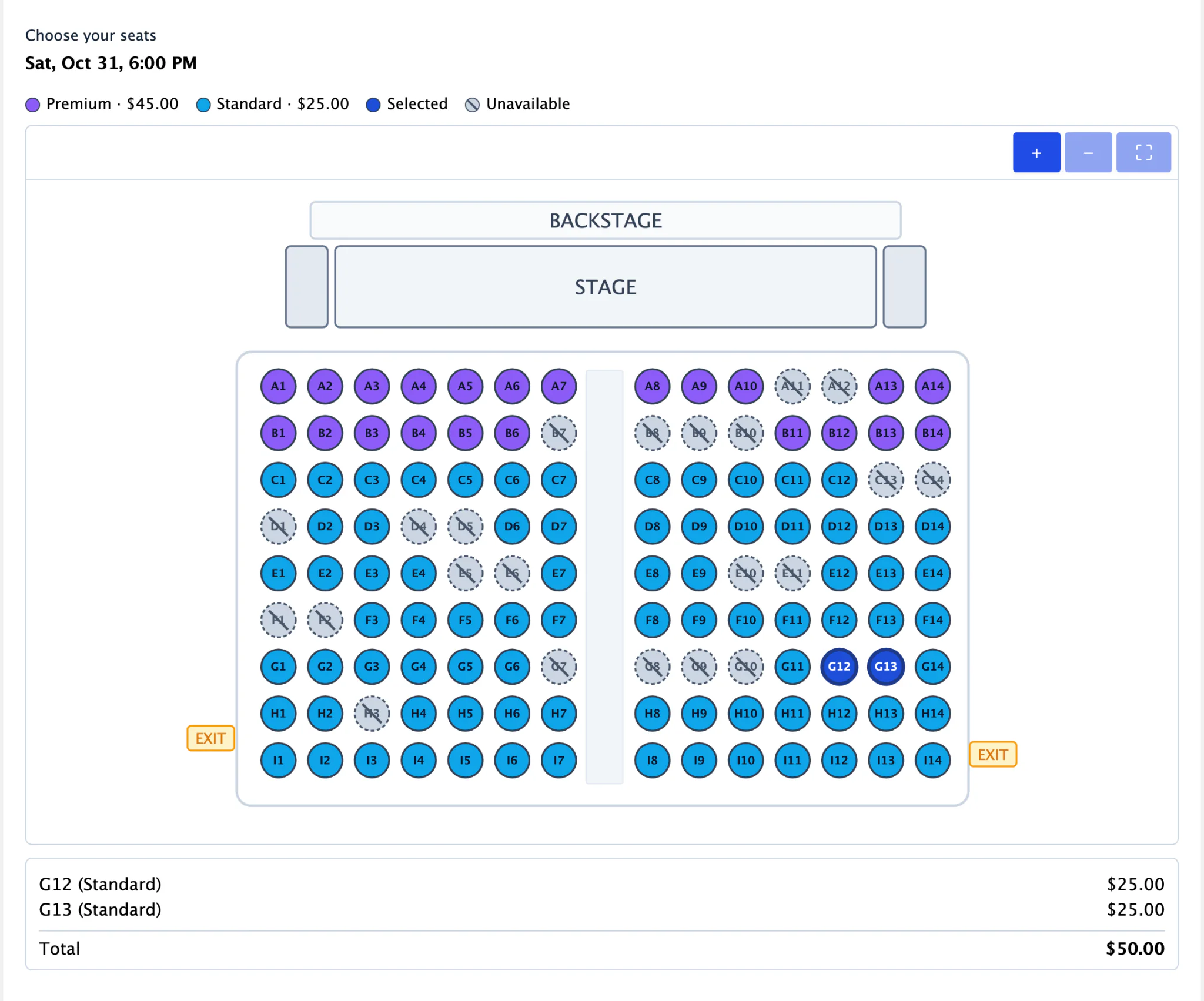

01 / 07
Seat picker on your form
Pricing
One license for every seat map, event and form
Pick the number of sites you need. Every plan comes with premium support and a 30-day money-back guarantee.
- 1 Site
- Premium Support
- 30-day Money-Back Guarantee
- 3 Sites
- Premium Support
- 30-day Money-Back Guarantee
- 30 Sites
- Premium Support
- 30-day Money-Back Guarantee
All plans include 7-day free trial • Cancel anytime
Guarantee
100% Money Back Guarantee
We are confident you'll love our products. If you encounter any issues that we can't resolve within the first 30 days, we will refund 100% of your money. No questions asked.
Details
Plugin Information
Support
Frequently Asked Questions
Have questions? We've got answers. If you can't find what you're looking for, feel free to contact us.
Upgrade
Ready to upgrade your site?
Pick a plan to get going, or browse the rest of our plugins.